
Settings and fixes
Every change in Settings saves at once; there's no Save button to forget. Android's Back closes an open sheet first, then the area, then the screen.
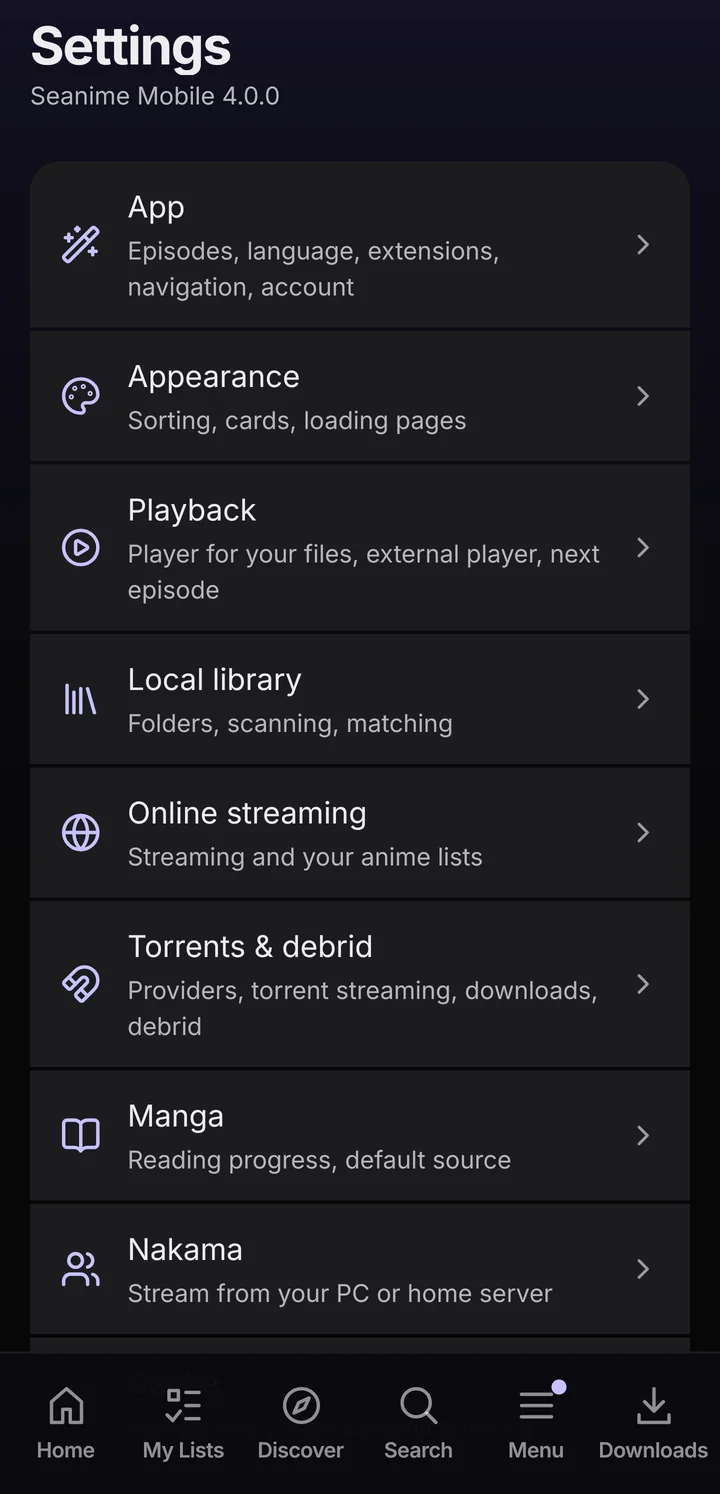
The settings areas
Where MenuSettings
- App
- Episodes, language, extensions, navigation and your account. Also incognito mode, notifications, widgets, the local account and Backup.
- Appearance
- Sorting, cards, the Home banner, and how early anime pages load.
- Playback
- The player for your files, the external player and the next episode.
- Local library
- Folders, scanning and how files are matched to AniList entries.
- Online streaming
- Online streaming on or off, and whether titles you stream show in your anime lists.
- Torrents & debrid
- Torrent providers, torrent streaming, auto-select, downloads and debrid.
- Manga
- Reading progress and the default source.
- Nakama
- Stream from Seanime on your PC or home server.
- Cache
- The saved data of manga and online streaming sources.
- About
- Version, updates, the Discord server and the legal pages.
The language of the app is under SettingsAppLanguage. Spoilers can be hidden there too: Hide spoilers keeps episode pictures, titles and descriptions hidden until you get there.
Bottom bar and Menu
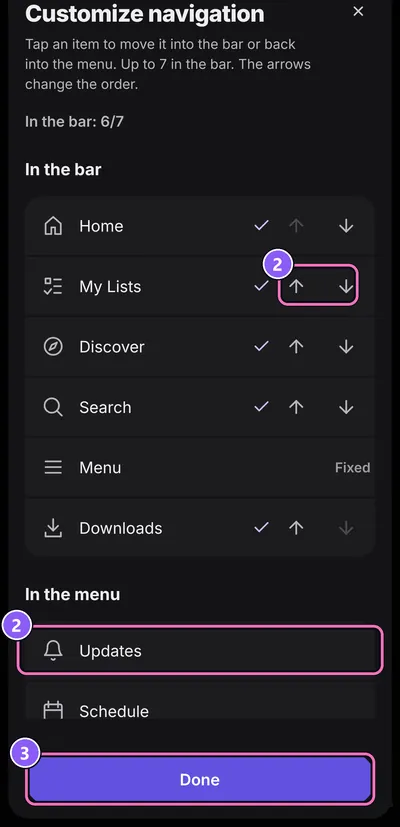
By default the bar holds Home, My Lists, Discover, Search and Menu, plus Downloads. Everything else lives in the Menu: Updates, Schedule, History, Manga, Scan summaries, Extensions and Settings, plus incognito mode and Refresh AniList.
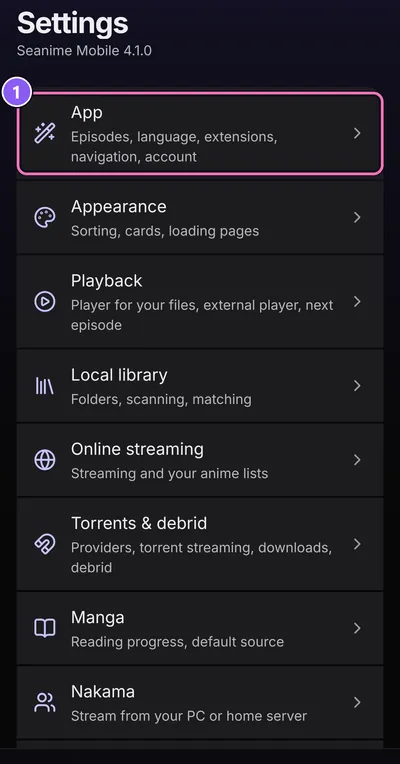
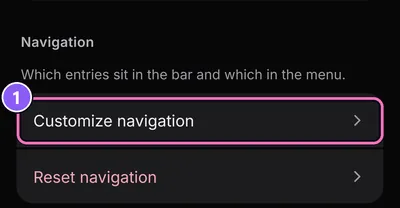
- Go to SettingsAppNavigation and tap Customize navigation.
- Tap an item to move it into the bar or back into the menu. The arrows change the order.
- Tap Done. The Menu button always stays in the bar.
Reset navigation puts the default back.
Caches
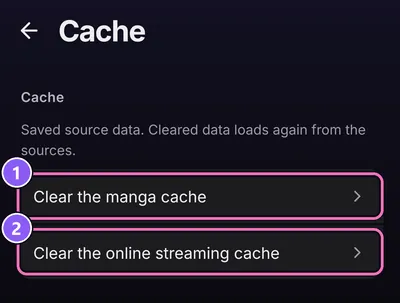
Where SettingsCache
The app saves what sources send it, so lists open fast. When a source changed and the app still shows the old state, clear its cache:
- Clear the manga cache: chapter lists and pages load again from the sources.
- Clear the online streaming cache: episode lists and stream links load again from the sources.
For a single anime, Clear stream cache on its Online streaming tab is enough.
When something doesn't work
- Pages say there's nothing yet
- Normal on a fresh install. Connect AniList and install a streaming and a manga source. See Getting started.
- An episode won't play
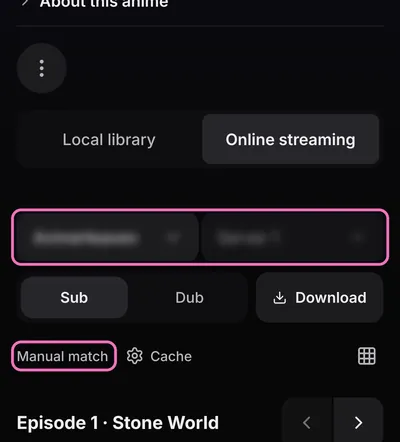
- Almost always the source. Pick another Server or Provider under Sources & playback options, tap Try all available providers when it shows up, and keep your extensions updated.
- Chapters or pages don't load
- Choose another source or scanlator under Source on the manga's page, or use Manual match if the source found the wrong title.
- An extension shows "Needs attention"
- Open it under MenuExtensions. It may need Grant permissions or a setup step under Preferences.
- AniList shows old progress
- Changes may still be waiting. Tap the pill on Home or My lists and Send now, or use Refresh AniList.
- A torrent doesn't start
- You need a torrent provider extension, and torrent streaming switched on in SettingsTorrents & debrid. On mobile data the app asks first.
More fixes, including "App not installed" and updates from 2.0.33, are on the Help page. What the app no longer has since version 4 is listed there too.
Still stuck? Ask on Discord or report a bug with your device, the Android version and the app version from SettingsAbout.